
SharePoint + AsisteClick
Your SharePoint as the AI Agent's knowledge base
Your company's manuals, policies and price lists already live in SharePoint. Connect a library and AsisteClick turns it into a knowledge base that maintains itself: your team keeps working where it always has and the agent answers with the latest version.
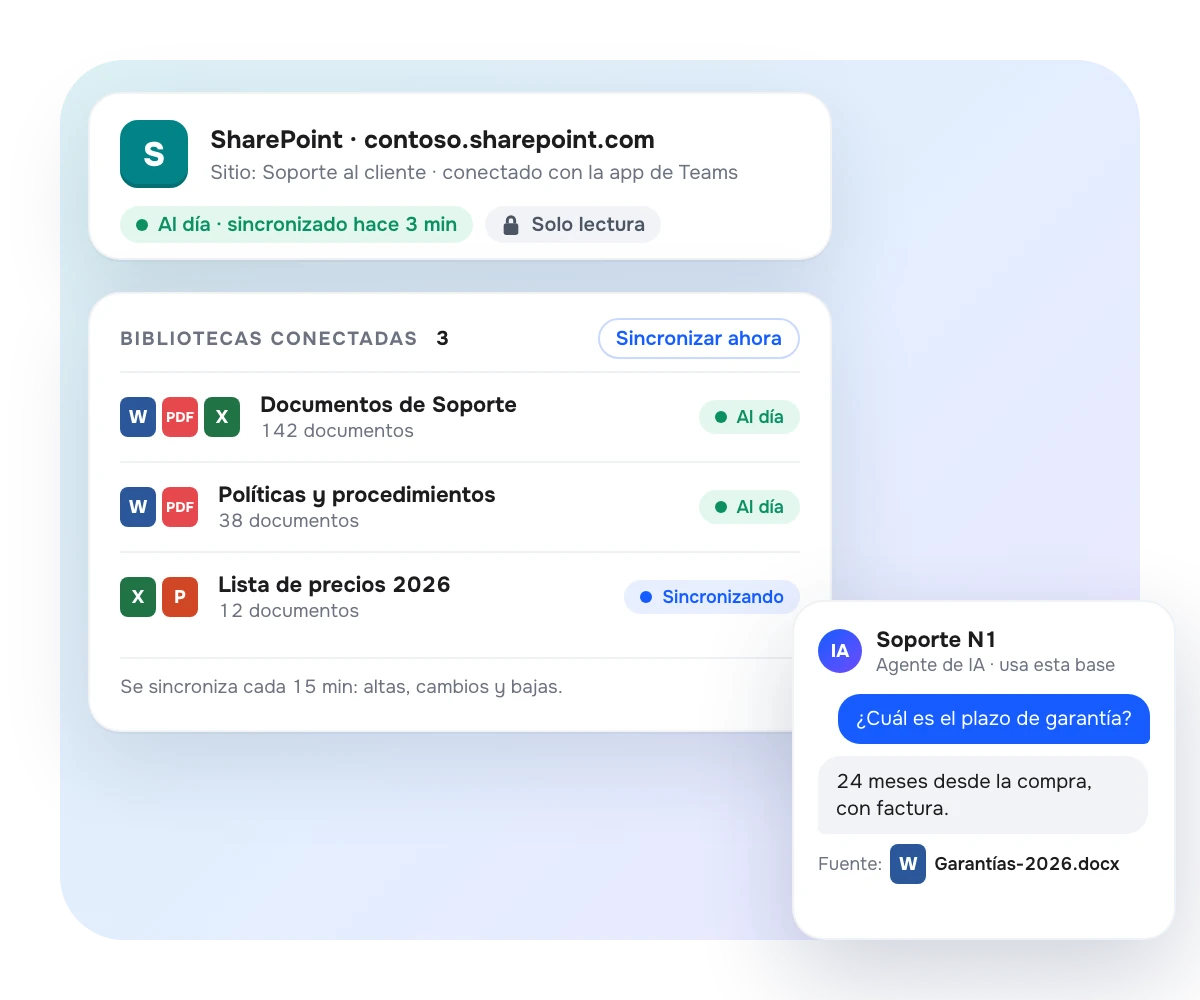
One library connected, a knowledge base always up to date
Every document library you connect becomes a knowledge base your AI Agent queries like any other. It syncs every 15 minutes: new files come in, modified ones are updated and deleted ones disappear from the knowledge base too. Without copying anything by hand.
Word, Excel (all sheets), PowerPoint, text-based PDF and plain text.
You choose exactly which libraries the bot can use; never "all of SharePoint".
Status in plain sight — syncing, up to date, paused — and the detail of whatever was skipped, with its reason.
Reuse the Microsoft Entra application you already set up for the Teams channel.
For mid-size and large companies
A single source of truth, without duplicating the work
Maintaining the bot's knowledge base by hand means duplicating what your team already does in SharePoint and trusting that nobody forgets to update the copy. With the connector, your documentation has one owner and one home; the agent inherits every change on the next cycle.
Your data, on your terms
Read-only, verifiable in your own portal
AsisteClick never writes, modifies or deletes anything in your SharePoint: the application requests read permissions only, and you can audit it in Microsoft Entra. The original file is not stored: the text is extracted, indexed and discarded. The source is still your SharePoint.
Scans and complex documents
Choose who reads your files
In standard mode the text is extracted inside AsisteClick, with no third parties. If your library has scanned PDFs, complex tables or diagrams, you can use your own Azure AI resource: the document goes from your SharePoint to your Azure, and AsisteClick only receives the resulting text.
Connect your SharePoint in less than half an hour
Frequently Asked Questions
What do I need in order to connect SharePoint?
The Bot and AI agent builder permission, and an application registered in Microsoft Entra ID with read permissions (Sites.Read.All and Files.Read.All) with admin consent. If you already set up the Microsoft Teams channel, you can reuse that same application. It requires no additional plan or add-on.
How often does it update?
Every 15 minutes, automatically. If you need a change right now, "Sync now" applies it on the spot.
Which files does it read?
Word, Excel (all sheets), PowerPoint, PDF with selectable text and plain text (.txt, .md, .csv), up to 40 MB per file. Scanned PDFs require the mode with your own Azure AI (OCR).
Does AsisteClick store my documents?
No. The text is extracted to index it and the original file is discarded. Permissions are read-only and you can verify it in your Entra portal. It is best to connect a library dedicated to the bot, because SharePoint's internal permissions do not carry over into conversations.
Is there a document limit?
Knowledge bases have a per-account quota of 1,000 documents and 30 MB of text, counting manuals and SharePoint together. Once you reach it, everything already loaded keeps working and you can request an increase from that same screen.